
Nine Casino review · Canada · 2026
Nine Casino app: download APK for Android and iOS
 Author: Julia Jul
Nine Casino runs in your mobile browser, so there is no APK to install before you start. APK files are an Android thing and do nothing on an iPhone, which makes the browser the one route that works on both. If you want one-tap access, save a home-screen shortcut and skip typing the address. The whole setup takes a minute or two, and nothing gets downloaded to your phone.
Is there a Nine Casino app?
I could not confirm a native app or APK either way, so treat the browser as the route you can count on. I tested the site from Canada on a phone, and everything sits behind the regular website: open it in your browser and you get the Casino and the Sportsbook.
Three things get mixed up here, so it helps to separate them. A native app is software built for one operating system. An APK is the Android installer for that kind of software. A home-screen shortcut is just a saved link that looks like an icon. Pinning Nine Casino to your phone gives you the shortcut and nothing more, so don’t mistake it for a downloadable nine casino app. If a page or a message offers you an installer and claims it is official, treat that with suspicion and go back to the address you typed yourself.
In short
What the site does offer is a Casino and Sports switch, VIP levels and Cashback. If you want background first, our Nine Casino guide for Canadian players covers the brand, and you can open an account once you know what to expect. Players in Canada should also keep the age rule in mind: it is 19 in most provinces.
Using Nine Casino on mobile: browser and PWA access
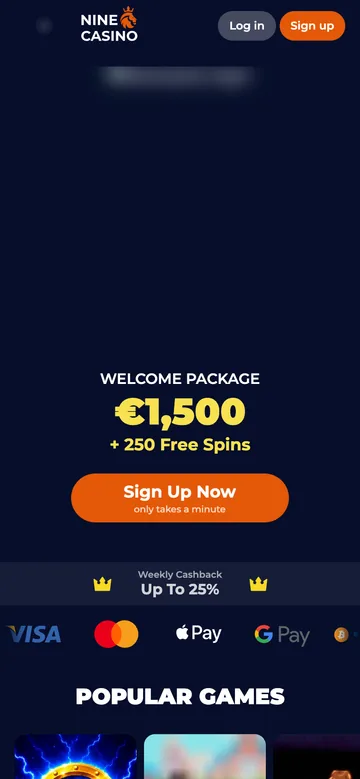
Getting in is simple. Open Nine Casino in Safari on an iPhone or Chrome on Android, log in and carry on from there. The mobile page matched what I saw on desktop: the same welcome banner, a cashback strip beneath it and a Popular Games row to scroll through. That row is the quickest place to start if you just want to see what the lobby looks like on a small screen.
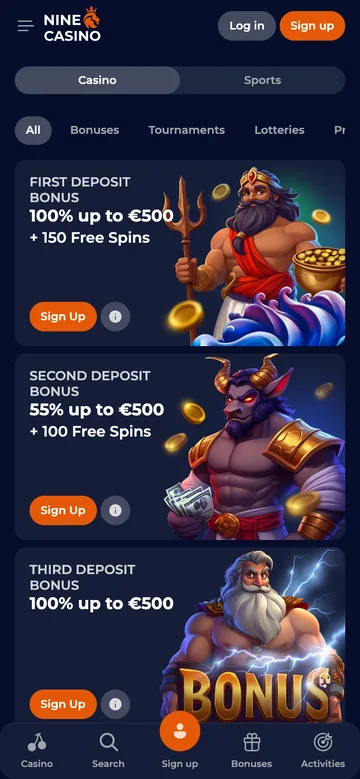
The Casino and Sports switch sits in the top bar, so changing from slots to a bet takes one tap. That is the real advantage of a phone session: you can check an event between other things without a computer open. The search icon next to it is worth a try too, since typing a name is usually faster than scrolling on a narrow display.
You may run into the acronym PWA, short for progressive web app, meaning a website that behaves like an app. An icon on your home screen does not prove a site is one. Treat the icon as a quick way back to Nine Casino, not as evidence of a separate application or offline play.
In short
Keep your browser up to date and use a stable connection. Portrait mode is fine for scrolling through the lobby, while landscape gives wider content a bit more room. If a page looks broken or stuck, reloading it in the browser usually fixes it faster than anything else. For the Cashback side, our bonus and promotion guide explains how it fits alongside VIP levels.
How to add Nine Casino to your home screen on iOS and Android
Create the shortcut from the casino site itself, not from this page, or the icon will send you to the wrong place. Both methods use your browser’s built-in menu, and neither involves an APK. Before you start, make sure the page you are on is the Nine Casino lobby, since that is the screen the icon will reopen.
On iPhone or iPad
Safari handles this well. Load Nine Casino fully first, then open the sharing controls and work through these steps:
- Tap Safari’s Share button.
- Choose Add to Home Screen from the menu.
- Give the shortcut a clear name, such as Nine Casino.
- Tap Add and use the new icon to reopen the site.
After that you never retype the address. The icon still needs a live connection, though, and it does not magically turn an Android installer into an iOS app. Tap it once to confirm it opens the right page, and move it next to your other everyday apps if you plan to use it often.
On Android
Chrome does the same job. Open the Nine Casino site in the browser and make that page your shortcut target.
- Open Chrome’s menu next to the address bar.
- Pick Add to Home screen.
- Check the name and confirm.
- Tap the new icon whenever you want to return.
Menu labels shift a little between Chrome versions and phone makers, but the idea stays the same. You don’t have to allow installs from unknown sources for any of this. If you get stuck signing in, our login and sign-up walkthrough covers it. Doing the login once in the browser before you create the shortcut saves a step later.
App-style mobile access vs desktop
The phone wins on speed, the desktop on space. A saved shortcut gets you back in seconds, while a big screen lets you see more at once, which helps when you are reading through offers. Pick whichever suits the session.
| Access method | How you open it | Main benefit | Best fit |
|---|---|---|---|
| Mobile browser | Visit the website in your phone’s browser | No APK installation | Getting started on your phone |
| Home-screen shortcut | Tap a saved website icon | Quick return access | Regular mobile visits |
| Desktop browser | Visit the website on your computer | More screen space | Comfortable browsing and reading |
On a desktop the promotions page is easier to take in, with everything laid out in one view. Reading the offers side by side is simply less fiddly on a wide monitor. Screen size changes none of the terms, though. For the full picture read our detailed Nine Casino review, then decide which screen you prefer.
Welcome offer for new players
Open your Nine Casino account in a couple of minutes and check the current offer.
Nine casino app: FAQ
Can I download an Android APK on my iPhone?
No. An APK is an Android installation file, and an iPhone cannot run it. Open Nine Casino in Safari instead and add the site to your home screen. You get a saved entry point without trying to force software onto the wrong system. If a site insists otherwise, close the tab.
Do I need to install anything to play on mobile?
No APK is needed. Open the website in your mobile browser, log in and use the Casino or Sportsbook from there. The home-screen shortcut is optional and only saves you a few taps. If you would rather not manage an installer, the browser is the practical choice, and it keeps your phone free of extra files.
Is a home-screen shortcut the same as a native app?
No. A shortcut points to a website, whereas a native app is software installed for one operating system. The icon may look app-like, but that tells you nothing about native or PWA status. Before you rely on the icon, tap it once and check that the address bar shows the site you expect, since that is the simplest way to be sure where it leads.
Can I use the shortcut without an internet connection?
No. Nine Casino is an online service and needs a connection to work. The icon only remembers where to take you; it does not store a playable copy of the site. Switch on Wi-Fi or mobile data before you tap it, and if the page will not load, check the connection first.
Should I choose mobile or desktop access?
Go mobile for convenience and desktop when you want more room to read. A phone with a shortcut is always at hand, while a computer is better for reading terms in full. You don’t have to commit to one. Use whichever screen suits the moment, and switch freely, since the same account works on both.